

How to Connect
Bedrock Server with Nintendo Switch
To be able to add your own server (besides the ones available in the server tab) you have to trick Minecraft into letting you...
On your switch, go to the "System Setings" menu and choose "Internet" and then "Internet Settings".
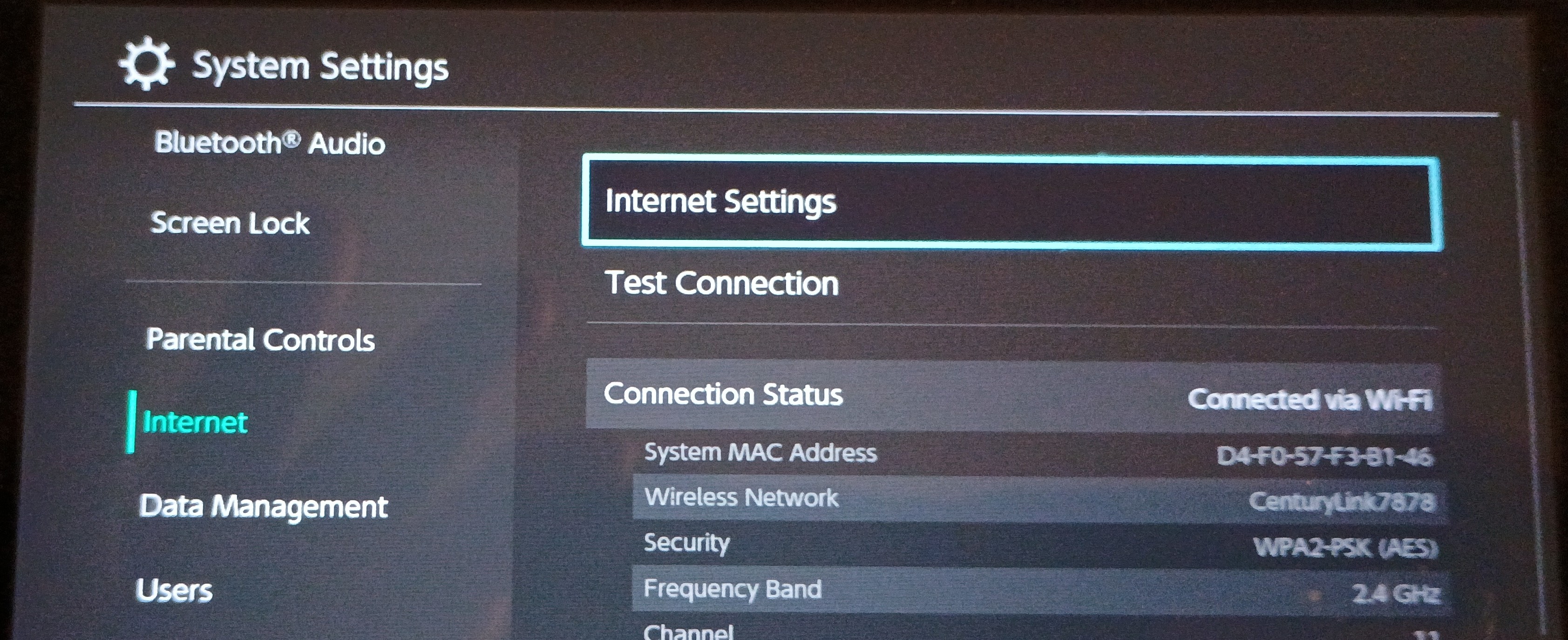
Next click on your WiFi and then choose "Change Settings".

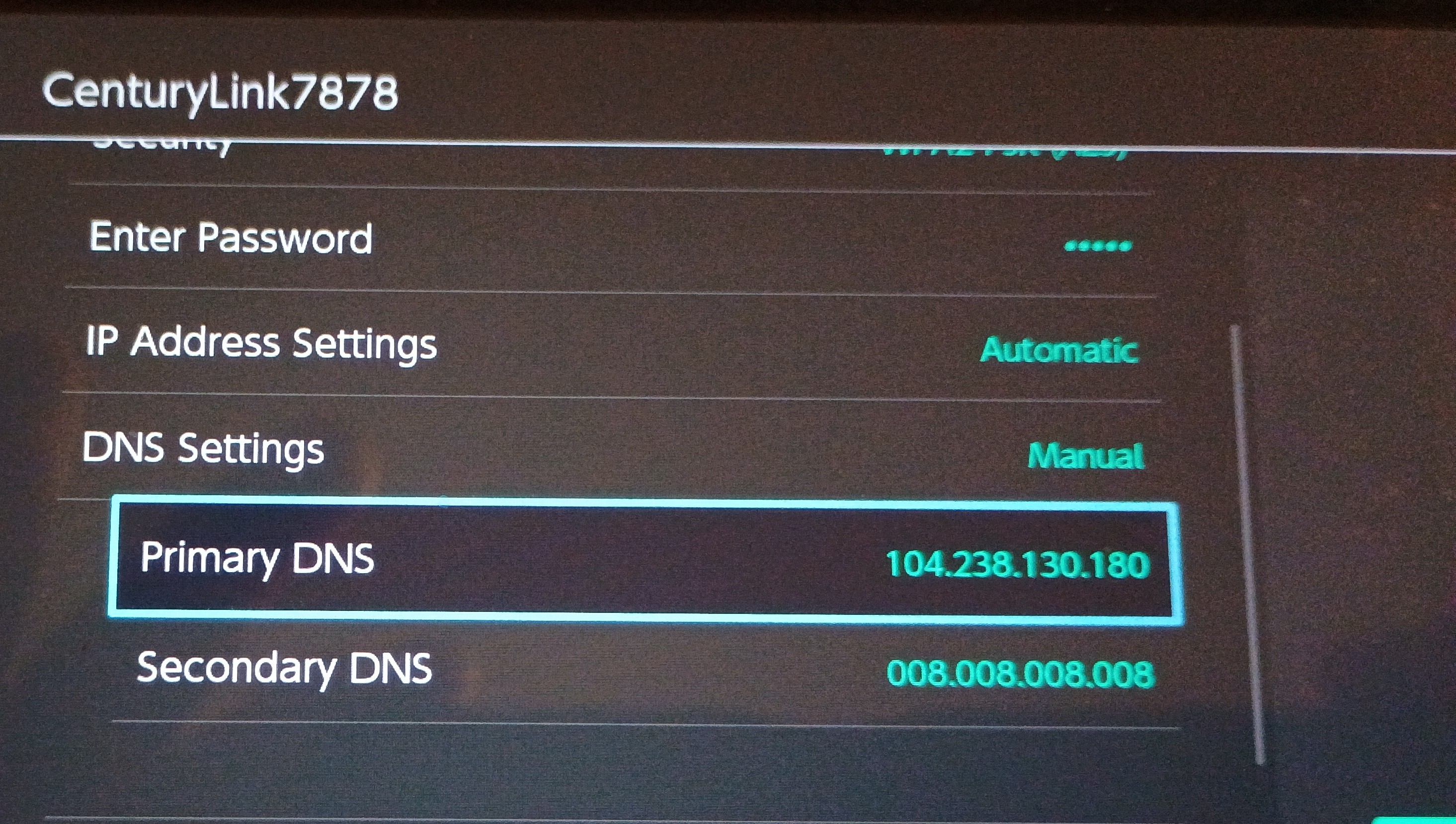
Go down to the DNS settings and change it to "Manual" and then enter 104.238.130.180 for "Primary DNS" and 8.8.8.8 for "Secondary DNS".
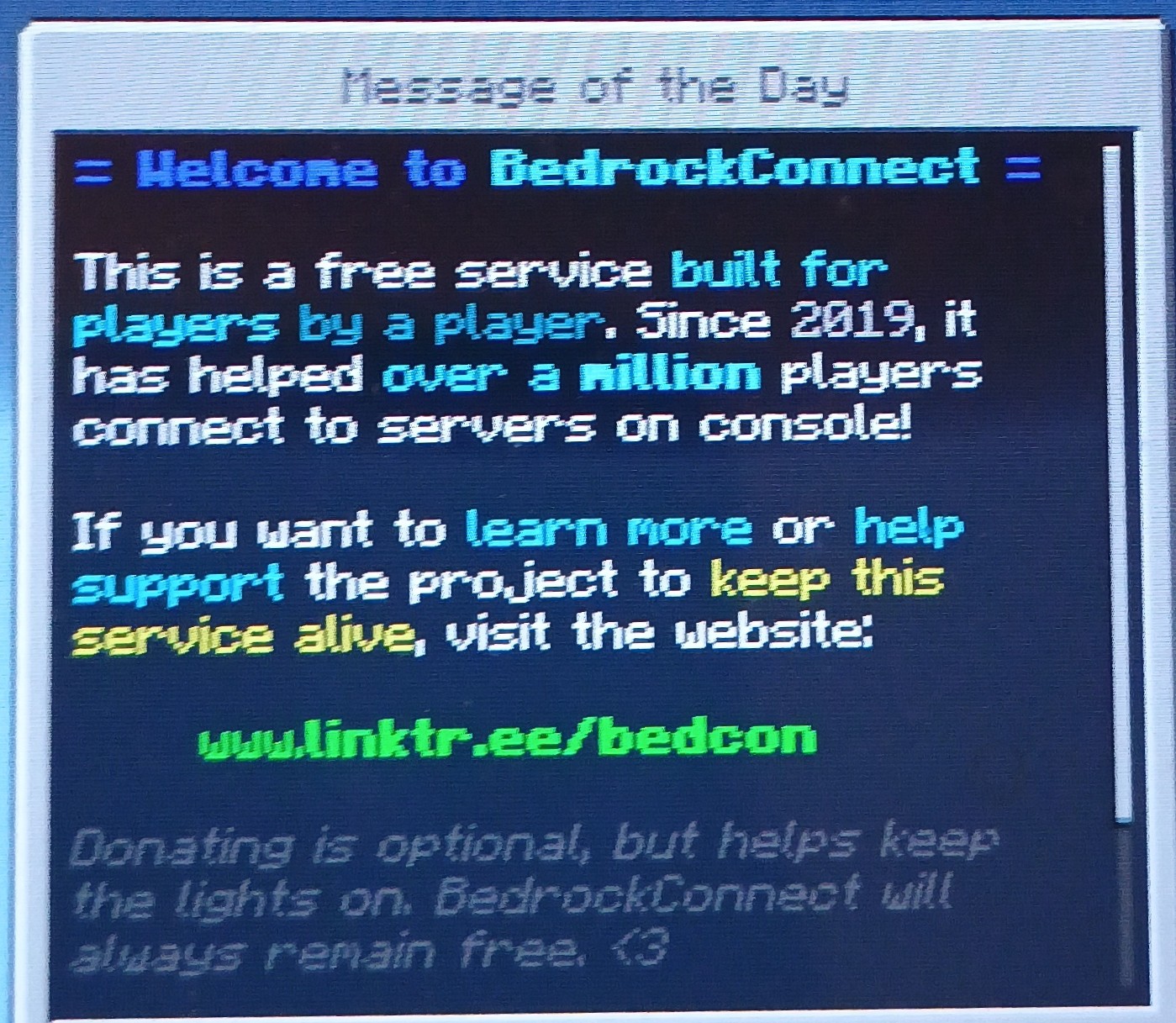
Now launch Minecraft and go to the "Servers" tab and try to joing one of the available servers (Life Boat or whatever). It should fail to connect and you should see a "BedrockConnect" window, scroll down and click "Continue to Server List".
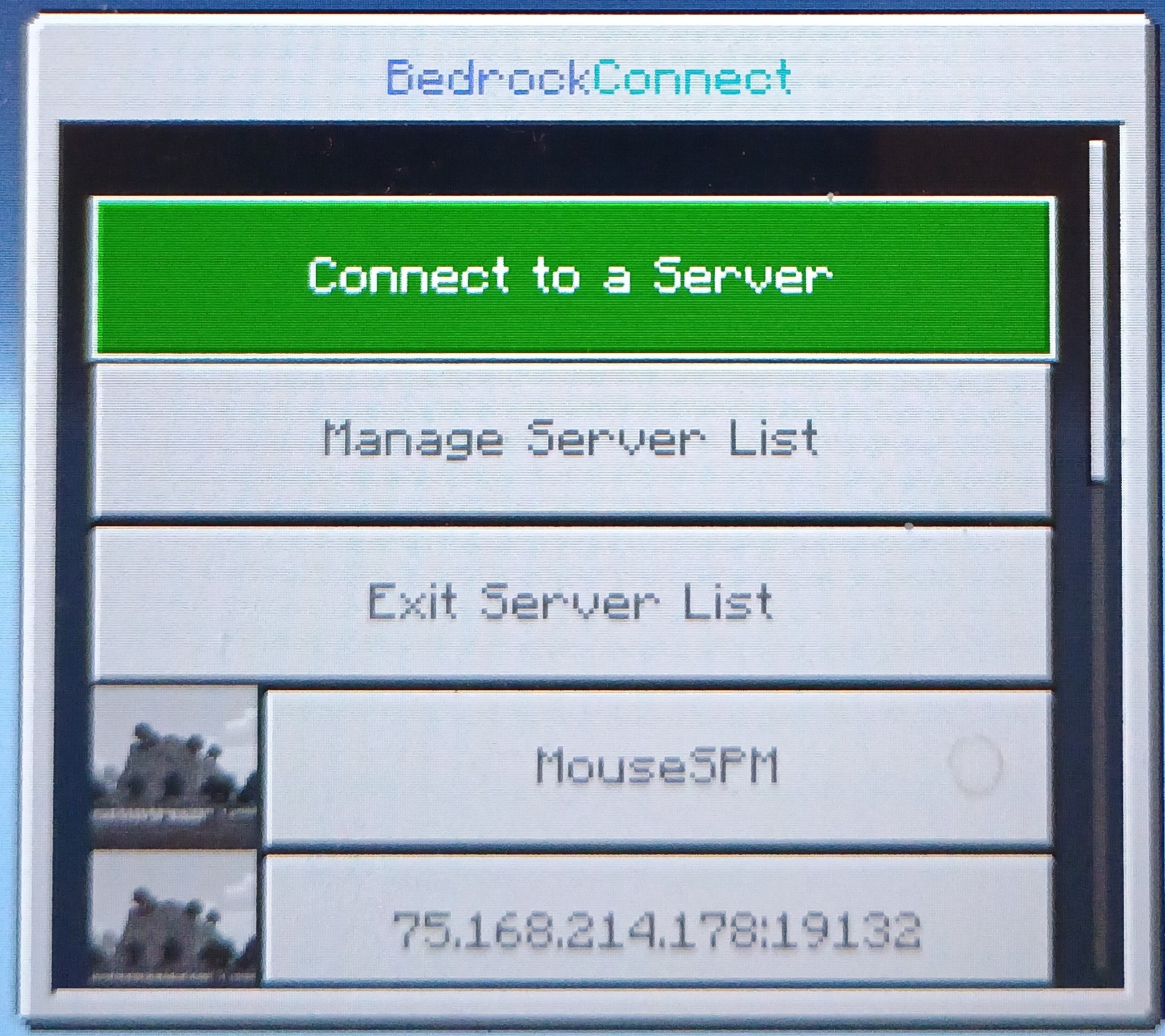
Click on the "Connect to a Server" button.
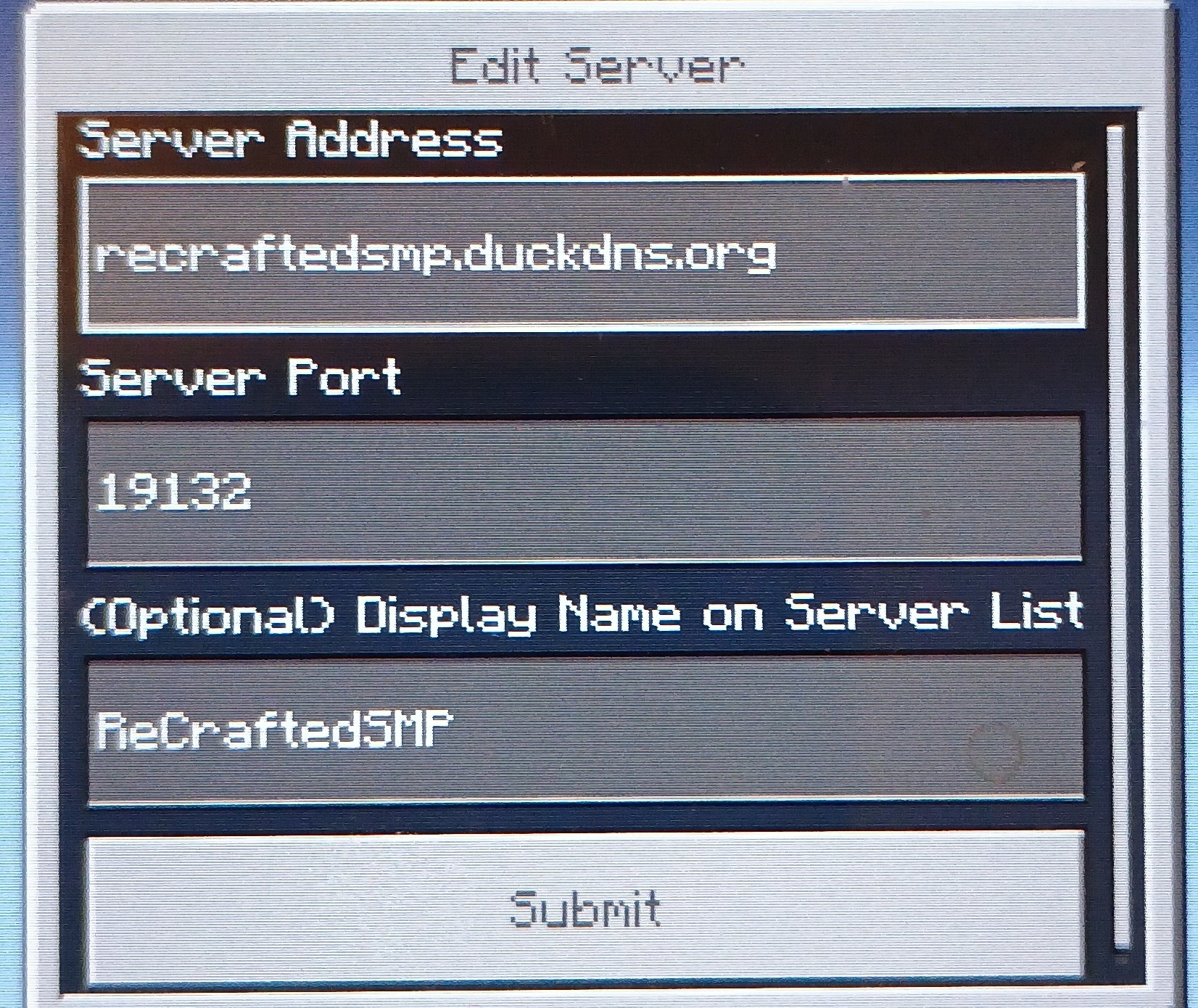
Enter the server information:
- "Server Name" can be whatever you want
- "Server address" enter: recraftedsmp.duckdns.org
- "Server port" enter: 19132
Server Version
The server is currently using Minecraft Bedrock at version 1.26.43.1 , if you get a version error, check your client version on the main screen in the bottm right, update if needed.
