

Java Server
There are 2 Java servers right now, one running based on the "Create" mod and the other also running Create but with the Fungal Infecton:Spore also added.
To connect to the ReCraftedSMP JAVA servers, you will need to have NeoForge and the required content mods installed.
Here are the installs you need and the specific versions, we are using Minecraft 1.21.1 right now on both servers.
Mod List for Create Server:
- NeoForge for 1.21.1 (21.1.248)
- Create by simibubi for NeoForge and Minecraft 1.21.1 (6.0.10)
- Sophisticated Backpacks by P3pp3rF1y for NeoForge and Minecraft 1.21.1 (3.25.20.1470)
- Sophisticated Storage by P3pp3rF1y for NeoForge and Minecraft 1.21.1 (1.5.18.1405)
- Sophisticated Core by P3pp3rF1y for NeoForge and Minecraft 1.21.1 (1.3.98.1332)
- Create: Enchantment Industry 2.2.5b by DragonsPlus for NeoFore and Minecraft 1.21.1 (1.21.1-6.0.8)
- Create: Dragons Plus by DragonsPlus for NeoForge and Minecraft 1.21.1 (1.8.5)
- Create Aeronautics by ryanhcode for NeoForge and Minecraft 1.21.1 (1.3.0)
Mod List for Fungal Infection Server:
- NeoForge for 1.21.1 (21.1.217)
- Fungal Infection:Spore by the_harbinger69 for NeoForge and Minecraft 1.21.1 (2.2.0a)
- Create by simibubi for NeoForge and Minecraft 1.21.1 (6.0.8)
- Sophisticated Backpacks by P3pp3rF1y for NeoForge and Minecraft 1.21.1 (3.25.20.1470)
- Sophisticated Storage by P3pp3rF1y for NeoForge and Minecraft 1.21.1 (1.5.18.1405)
- Sophisticated Core by P3pp3rF1y for NeoForge and Minecraft 1.21.1 (1.3.98.1332)
If you know how to set up a JAVA install and load mods, that's all you need, come play!
If you are new to JAVA and need help getting it all set up, read on...
To connect to the ReCraftedSMP JAVA server, you need to have the Minecraft launcher installed and own a copy of JAVA Minecraft.
(Note: You can only play JAVA on a computer)
You can get the Minecraft launcher from the Microsoft Store
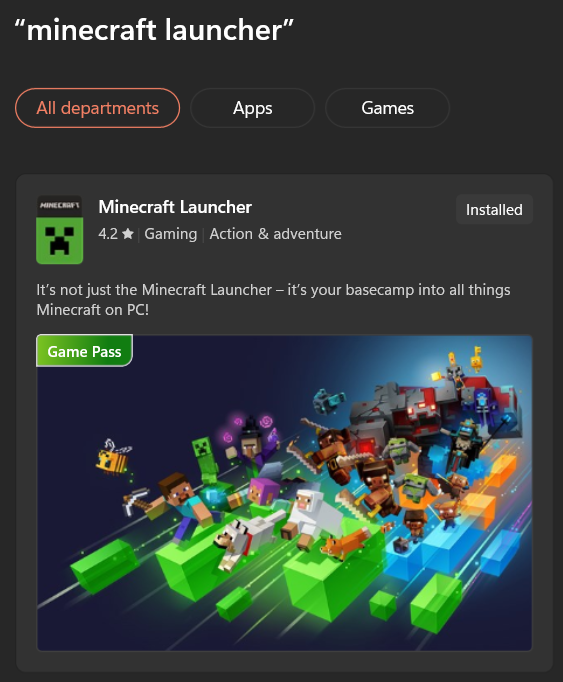
You can also get it directly from the Minecraft website.
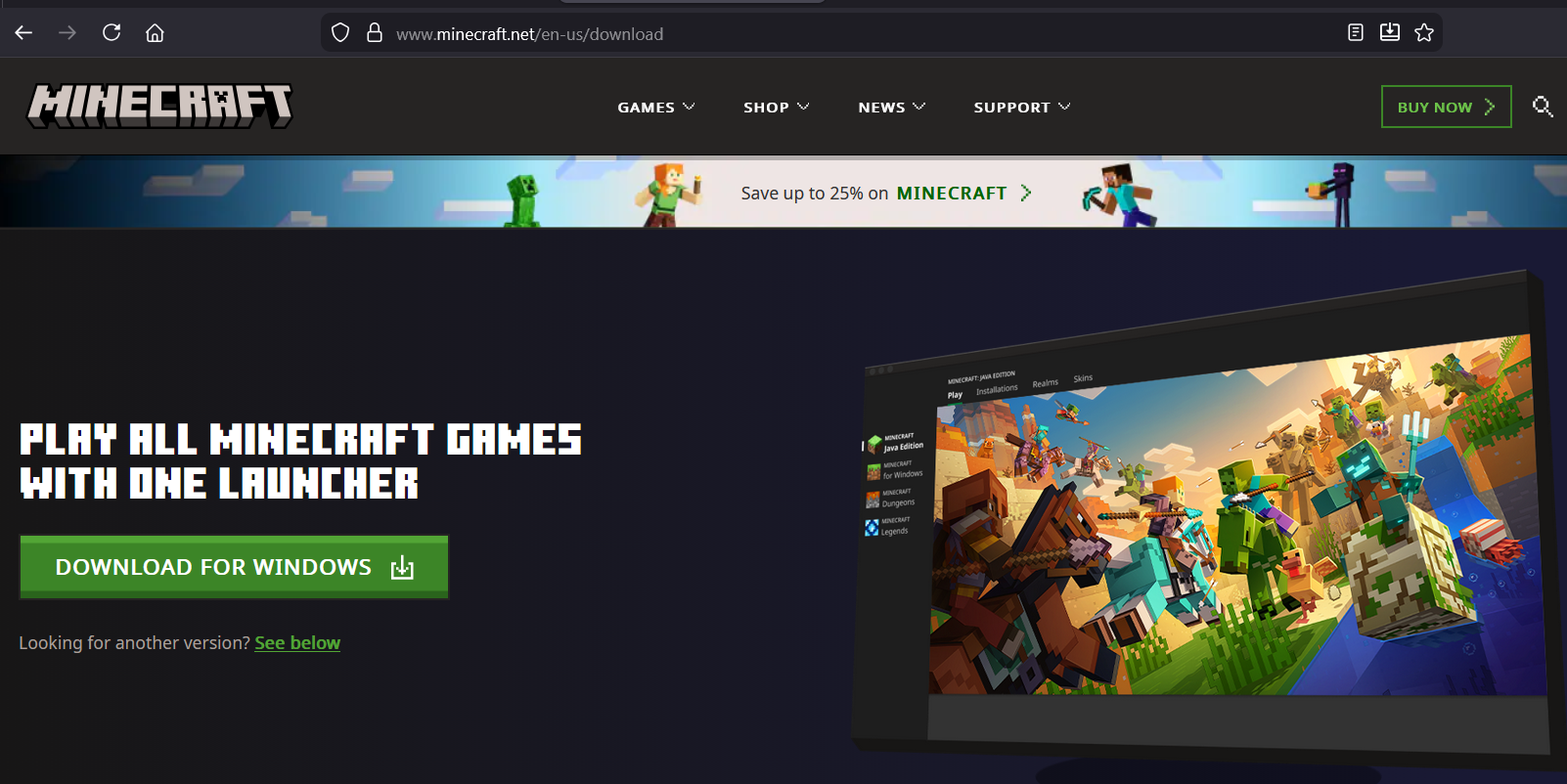
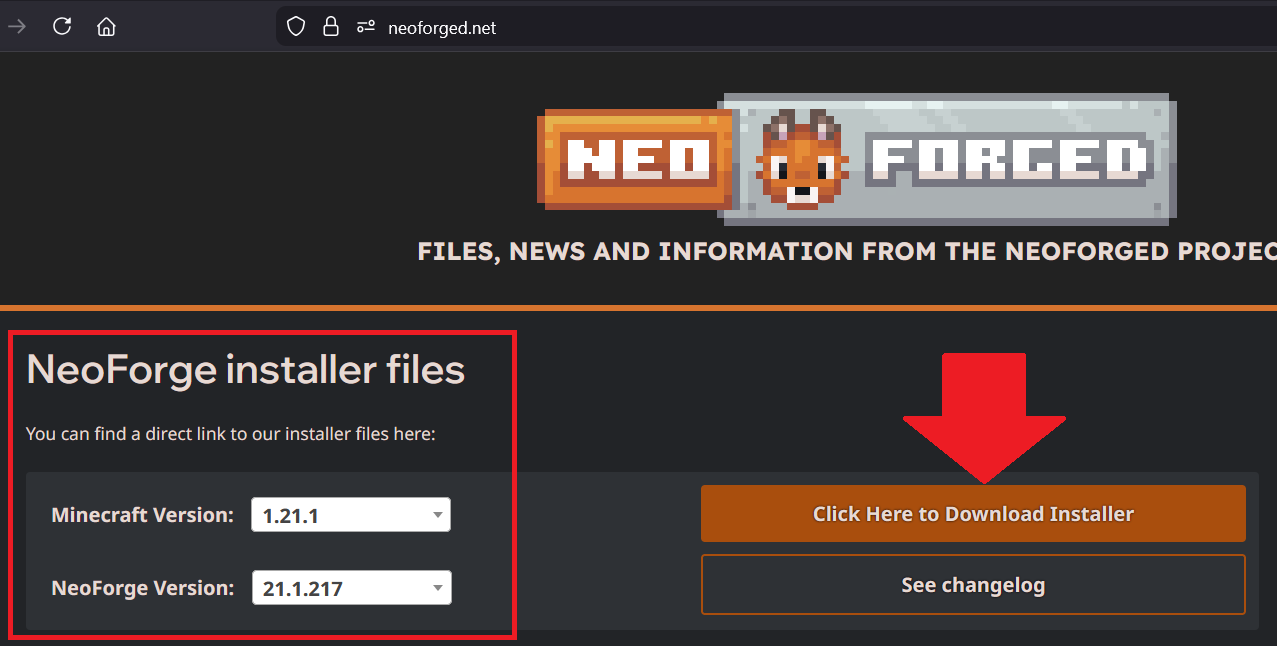
Once you have the launcher and JAVA Minecraft installed you need to install NeoForge which is the mod loader that the server uses.
Go to the NeoForged website to get the right version of the installer, make sure you get the version for Minecraft 1.21.1, if you get another version you won't be able to connect.
Run the NeoForge installer, choose "Client Install" and you have to select the location of your Minecraft installation which by default is in C:/users/
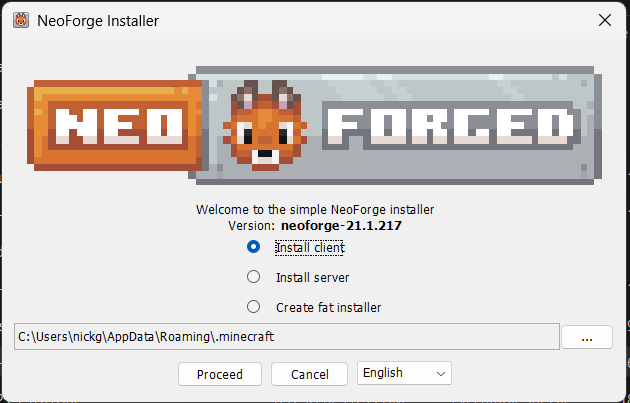
After the NeoForge intaller is done, you can start the Minecraft launcher and create a new installation for the server.
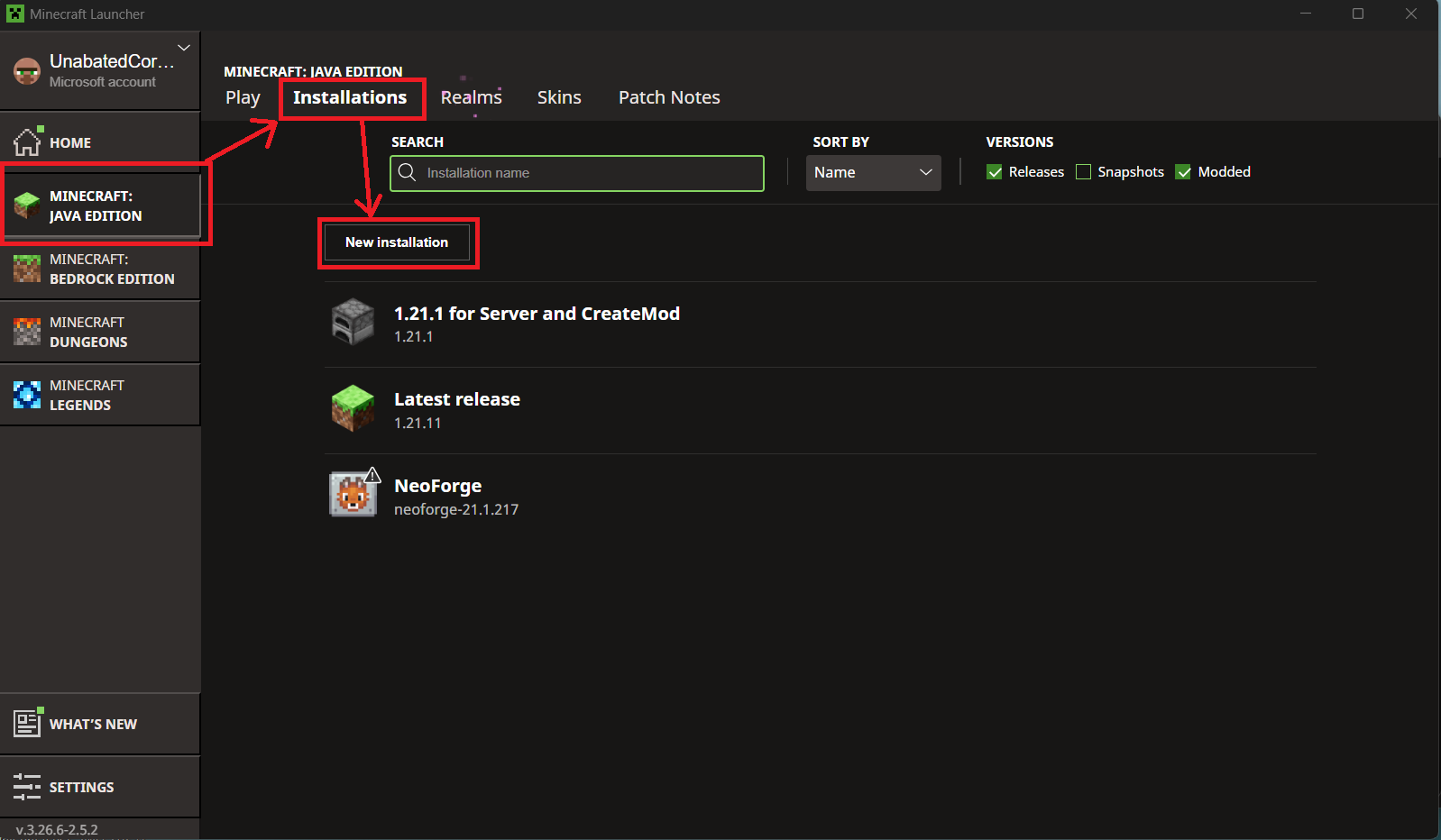
Click on Java Minecraft, then at the top click Installations and then click the "New Installation" button
You can enter whatever you want for the name, choose the NeoForge version you just installed for the game version and then choose the directory for your new install (suggest a "ReCraftedSMP-Java" folder inside your .minecraft folder).
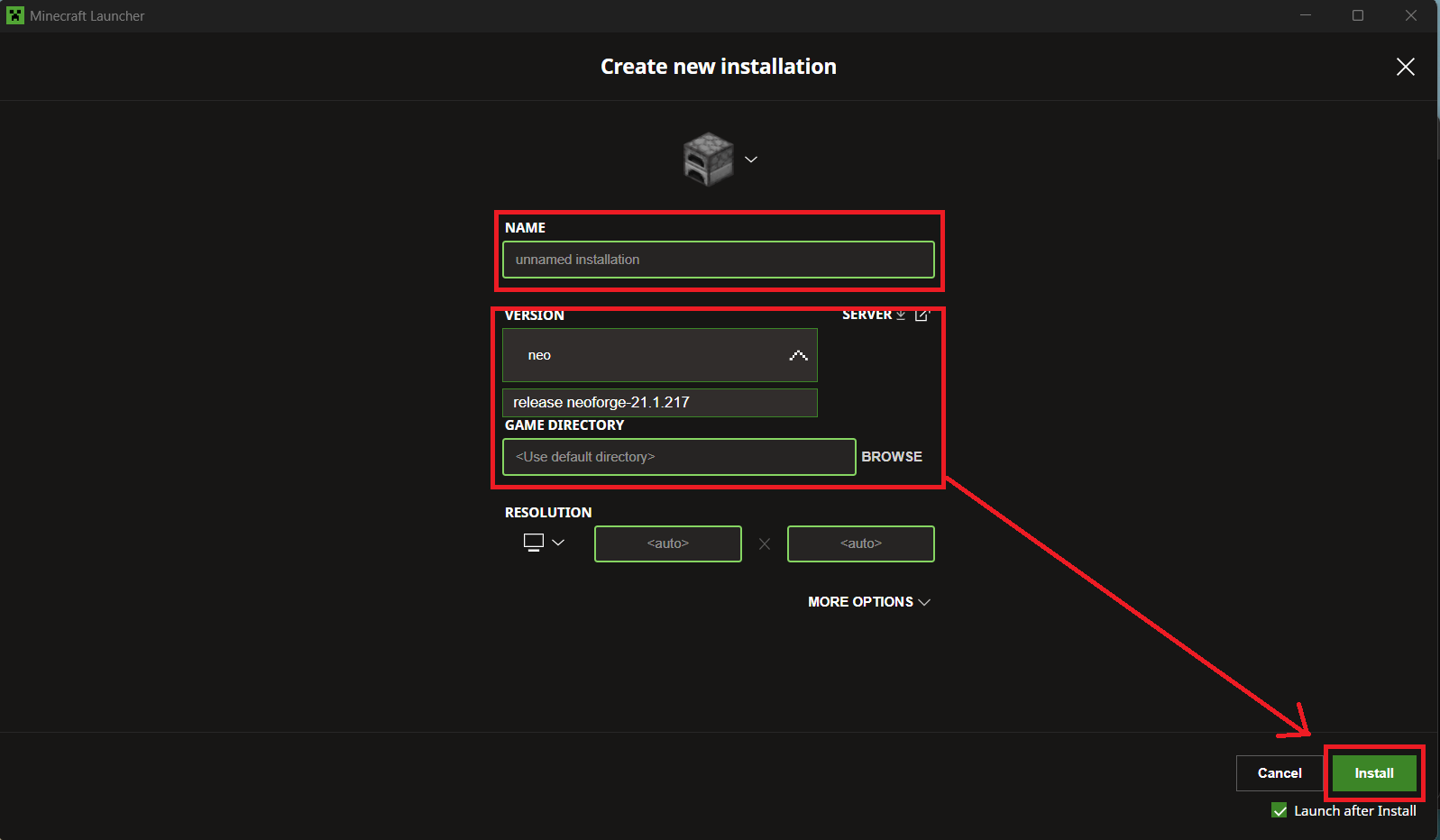
Click "Install" and then Play your new install once. Quit as soon as it finished loading, this will create all of the necessary folders on your hard drive to install the mods in.
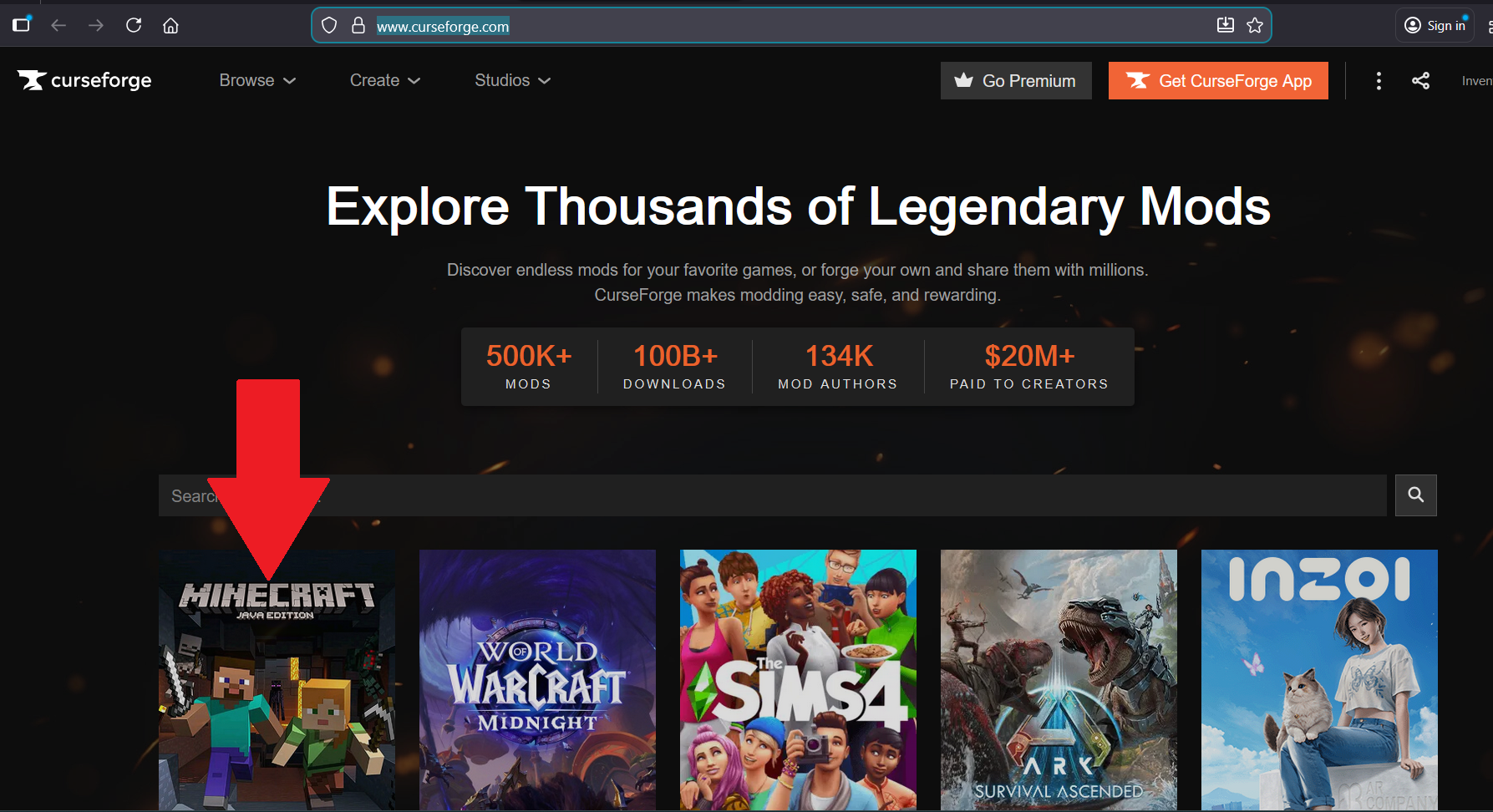
Next you need to install all of the client side mods that are required by the server (See list at the top of the page). You can get mods from a number of places, we use Curse Forge.
When you go to Curse Forge you can click on the Minecraft button and then search for mods.
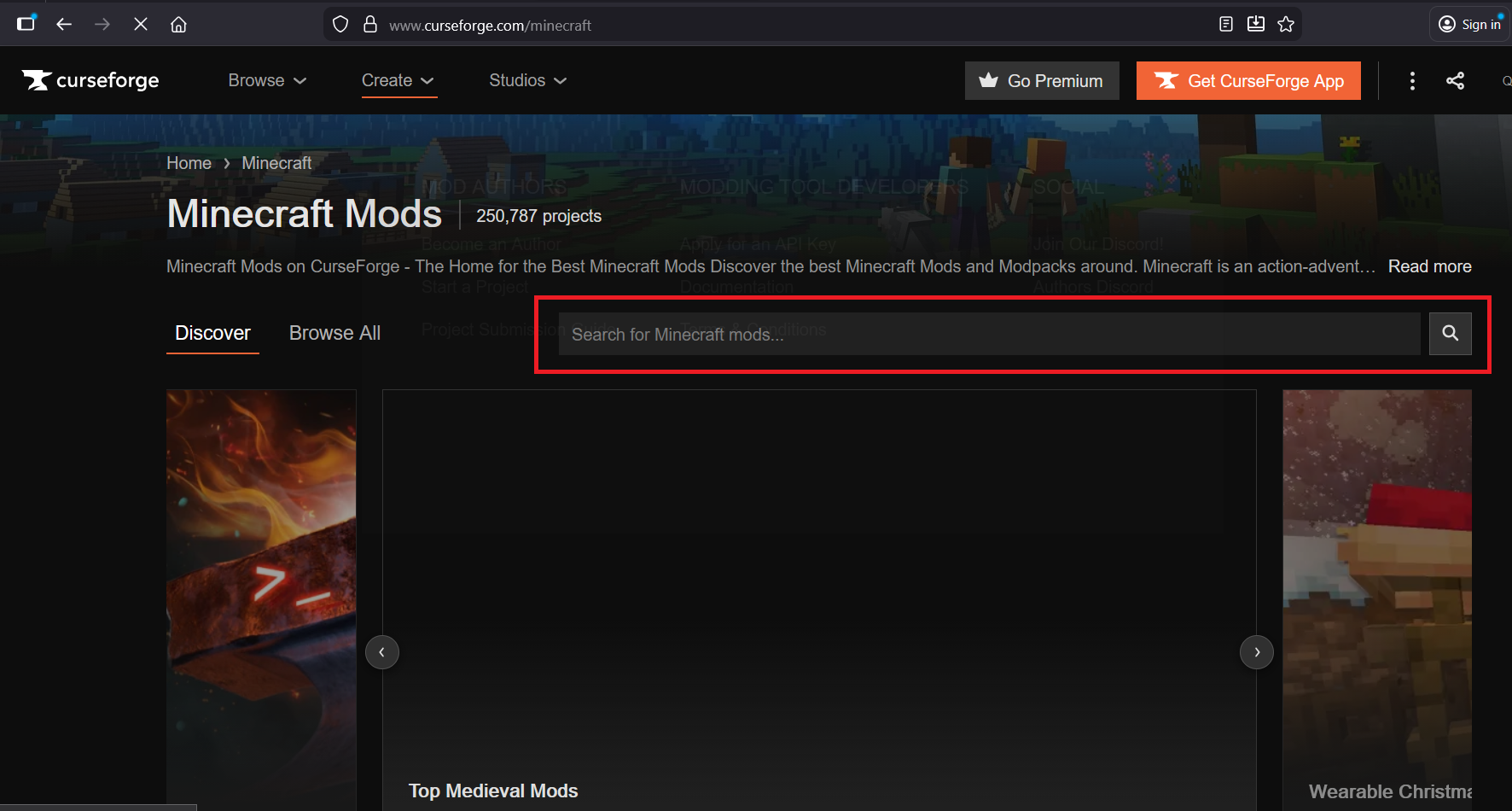
When you click on a mod to go to its page, click on the "Files" tab and then make sure to filter for Minecraft 1.21.1 and NeoForge as the mod loader so you get the right version.
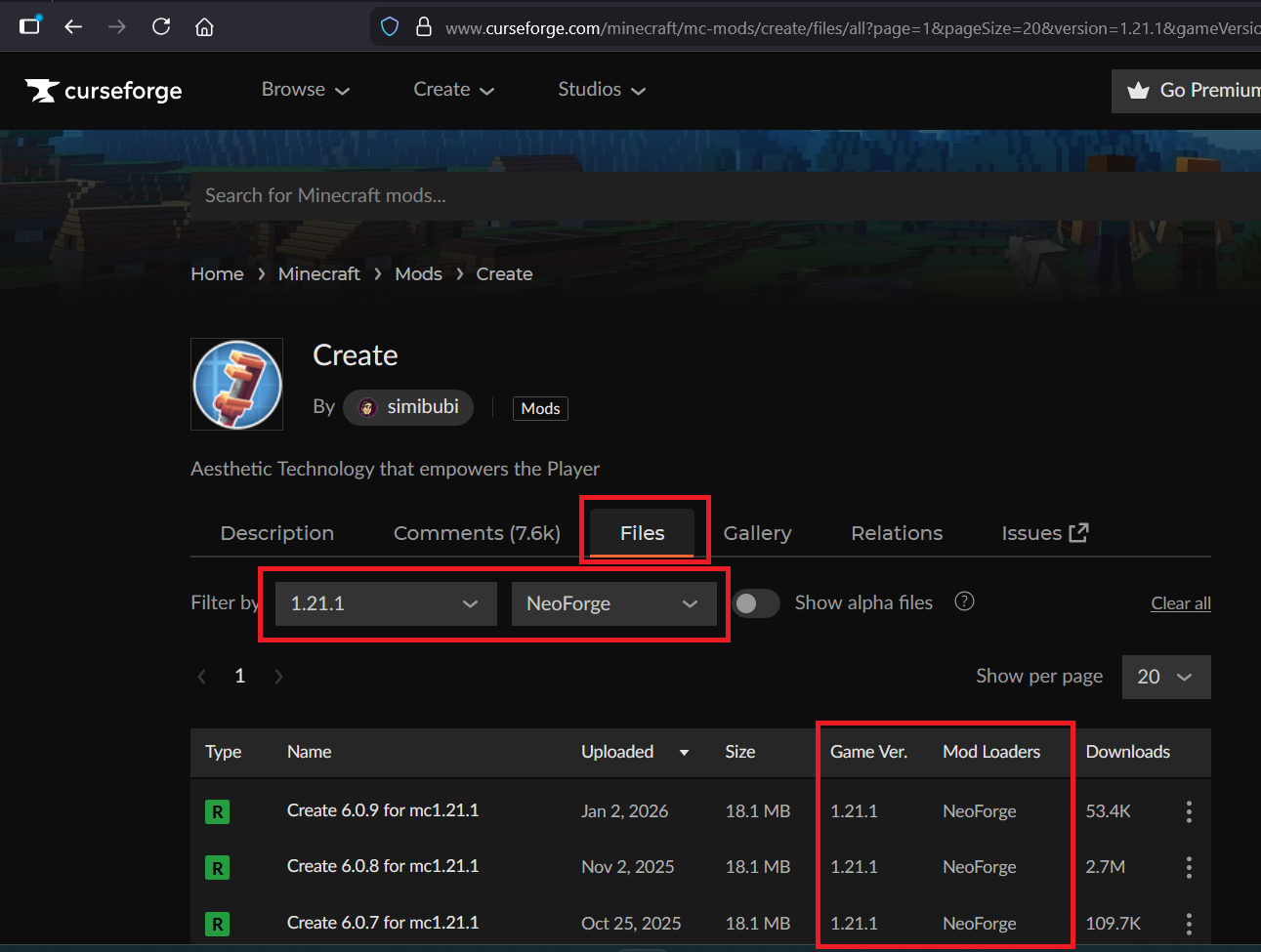
All you need to do to "install" a mod is to download the JAR file from Curse Forge and them move it into your mods folder (likly inside the server install folder you created in the previous step, or if you only have one installation it could be in the mods folder in .minecraft).
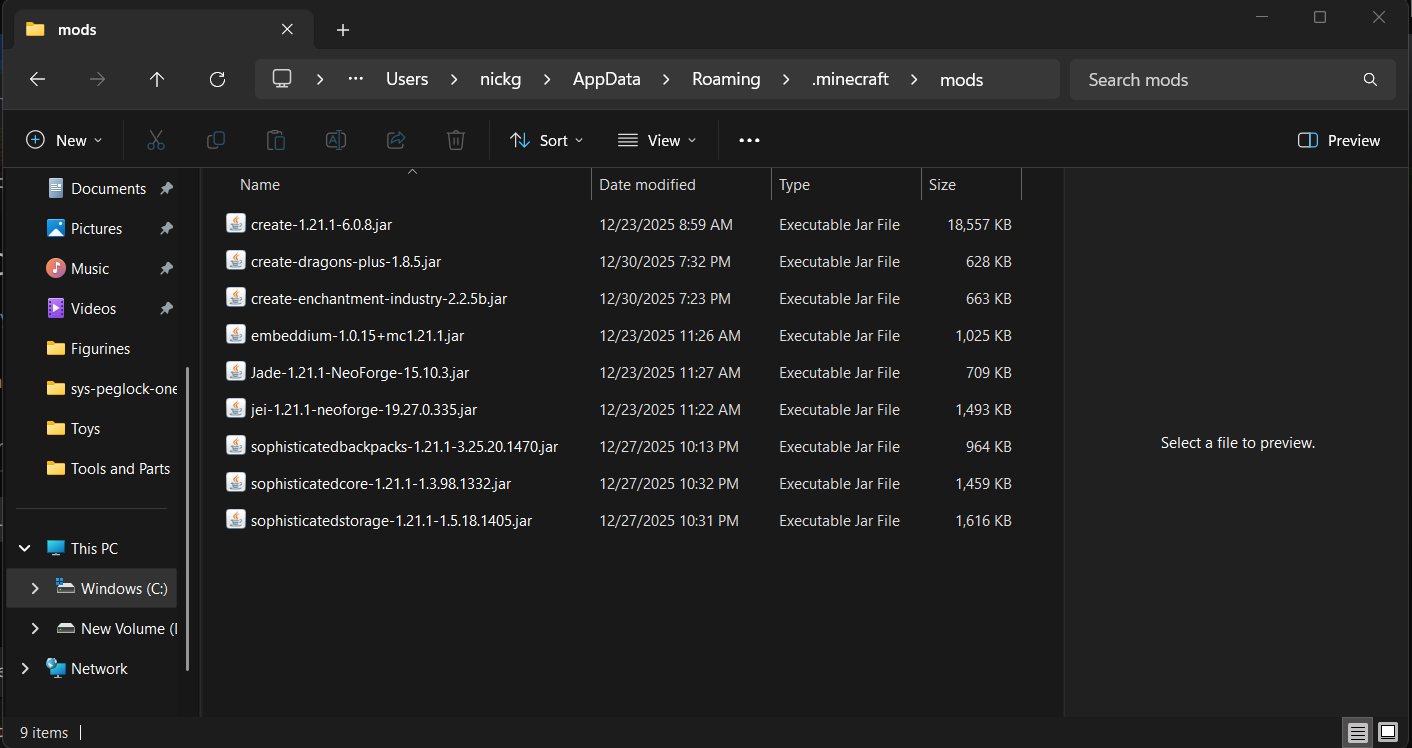
The list at the top of the page are all of the content mods that are required for the server but you can find other client side mods like mini maps or visualizations or game optimizers that don't add any content and add those to your mods folder too if you want.
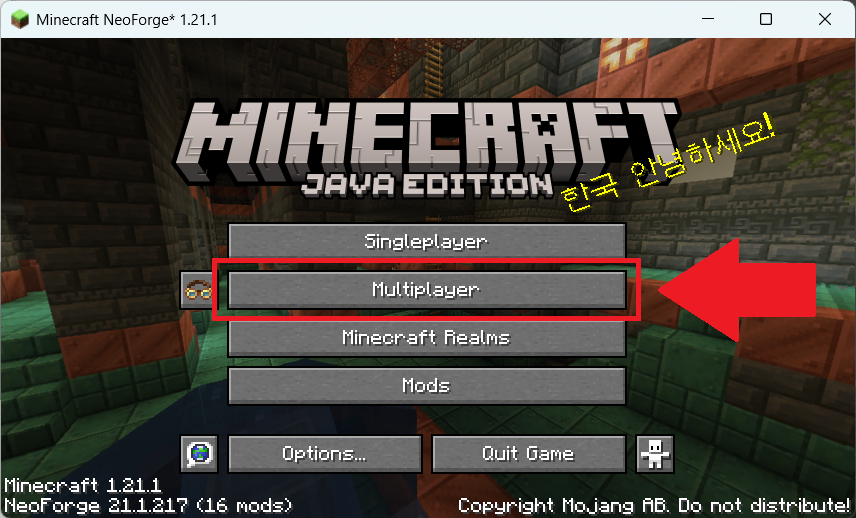
Once you have the mods installed, launch the game and click Multiplayer.
Then click on the "Add Server" button.
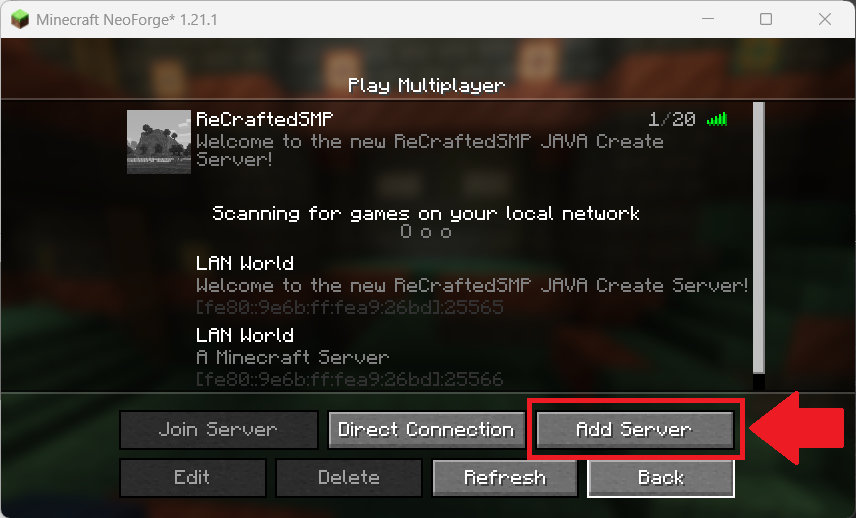
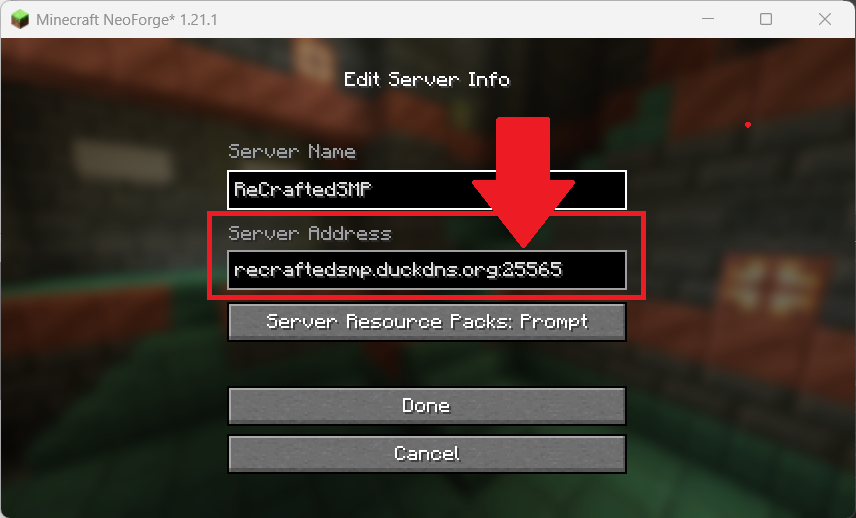
Then enter the following server information and then click Done (notice that you put the port number after the server address and a colon, there isn't a separate box like in Bedrock):
- Server Name: ReCraftedSMP (Create or Infection:Spore)
- Server Address: recraftedsmp.duckdns.org:PORT (replace PORT with 25565 for Create or 25566 for Infection)
Note that if you want to be able to play both the Create Mod and the Infection Mod you'll need to create 2 installations, one for each.